
The following steps will assist in how to place a data service on your client's SettLiT profile.
You may have noticed by now that in using the new User Interface, we've allowed the transition between Adding a Client, Completing the Profile, and Placing the Query a seamless experience. Please reach out to your SettLiT Customer Success Team if you have feedback!
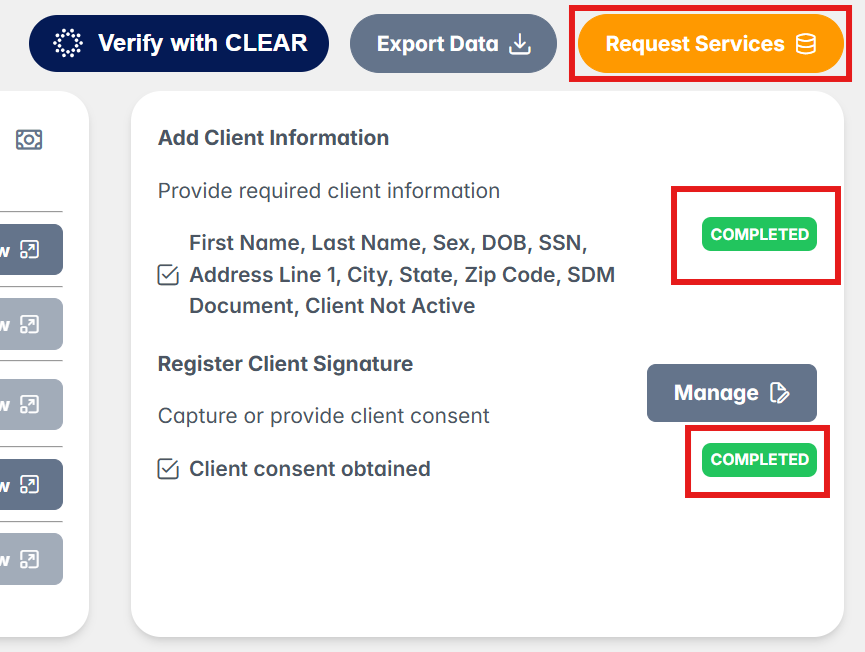
Step 1: Once the signature flow is completed, you will be taken back to the client dashboard screen. Ensure that both the Add Client Information and Register Client Signature are both Complete as shown below. Next, select Request Services.
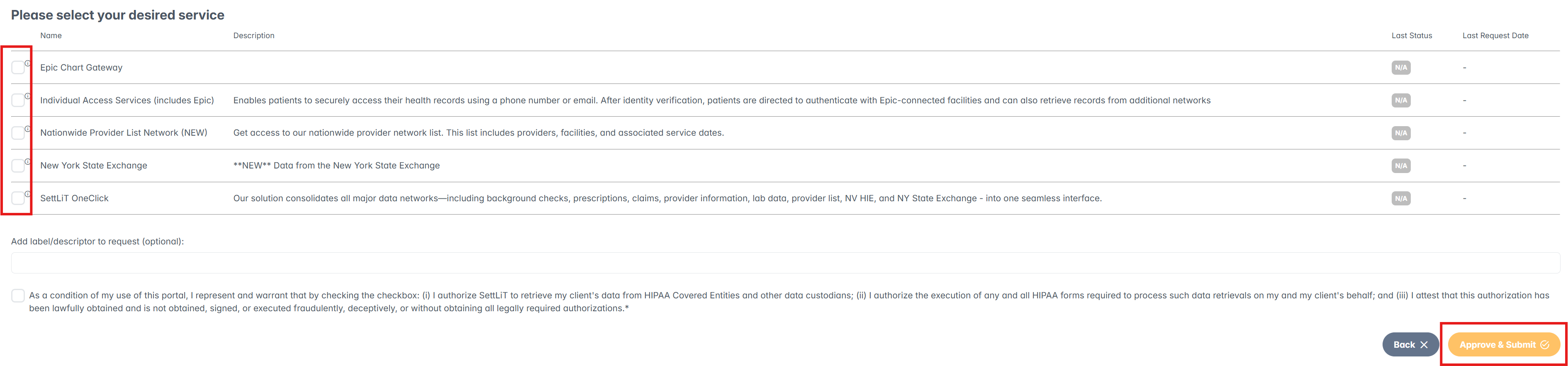
Step 2: Select the desired Network. This selection will query pharmacy, claims, and provider data and deliver the data to you in minutes. Note: The option of networks will range depending on how we have structured your services.
Check the condition box which confirms that you authorize SettLiT to retrieve the client's data.
Finally, select Approve and Submit.
Step 3: You will be brought back to the Client profile and see the request move from processing status to completed.
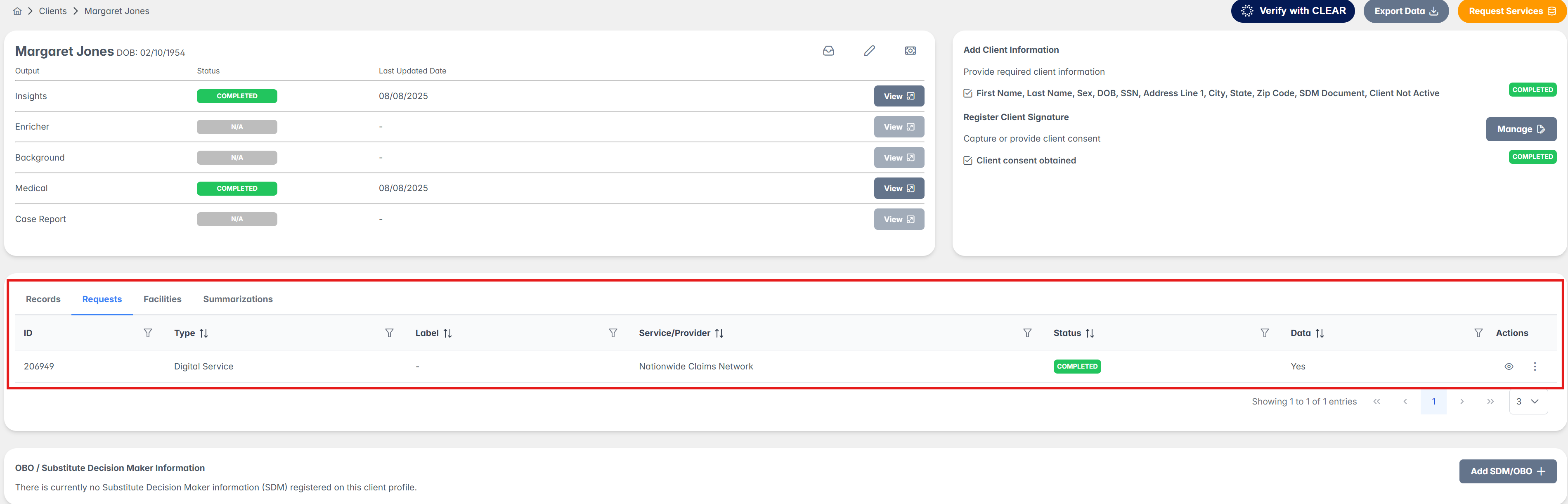
Within minutes, the status will be changing to indicate that the search is processing.
Provider List, Pharmacy, and Claims data (if available) will complete within minutes. Provider EHRs, State Exchange EHRs, and Epic data (if available) will complete within minutes-48 hours.
Congratulations you have now placed a data query on the client's SettLiT profile.
If you have questions or feedback, please feel free to reach out to us at support@settlit.legal.