This guide walks you through how to bulk export our Data Origination Statements for proof of injury and or proof of address. This functionality is currently being utilized most in AFFF cases.
Step 1: Navigate to reports
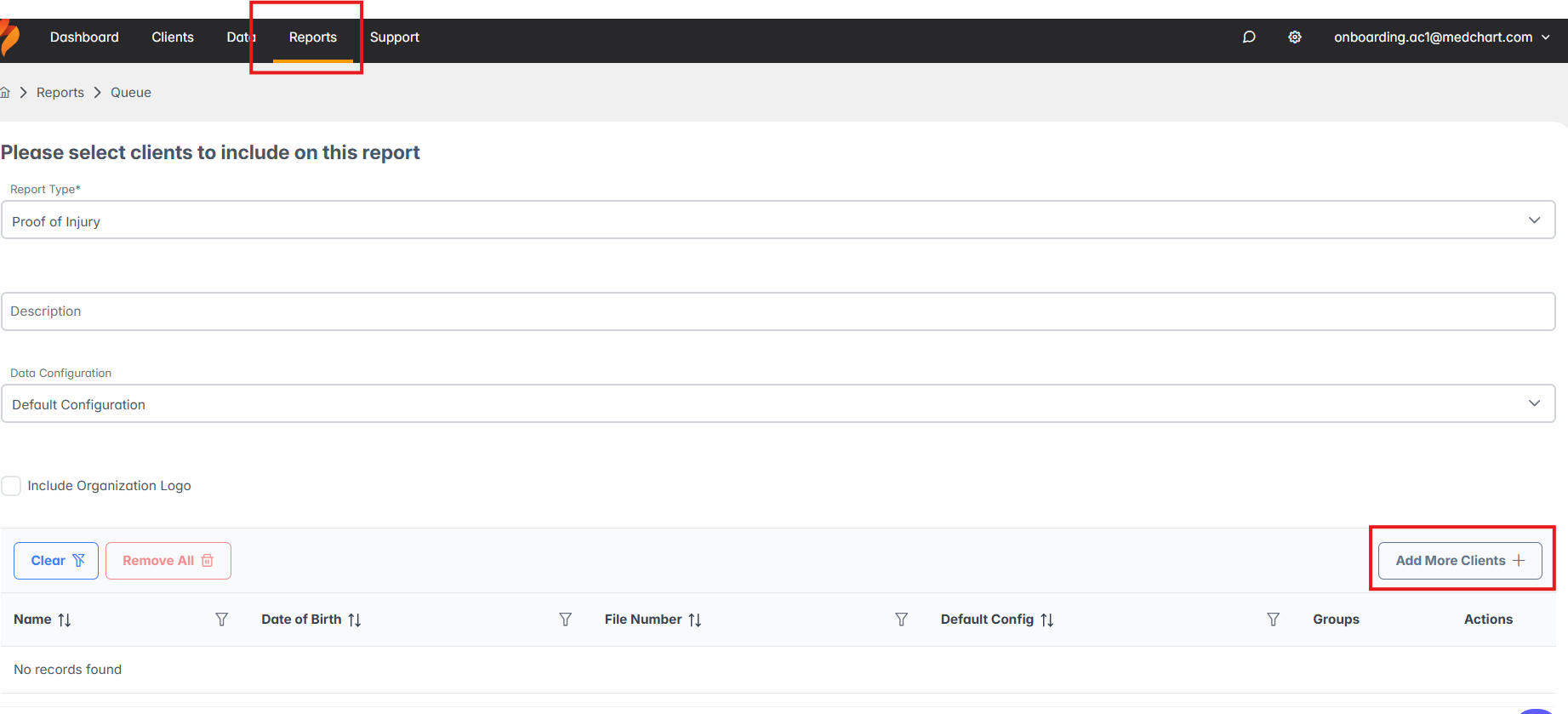
- From the top toolbar, click Reports
Step 2: Complete the Report Fields
- Report Type
- Proof of Injury: provides injury related codes extracted via the selected data configuration file
- Proof of Address: provides consumer information, including current and previous addresses
- Description: enter a report title of your choosing
- Data Configuration (proof of injury only): will filter out only relevant codes to your report
- Logo: optional
Step 3: Add Clients
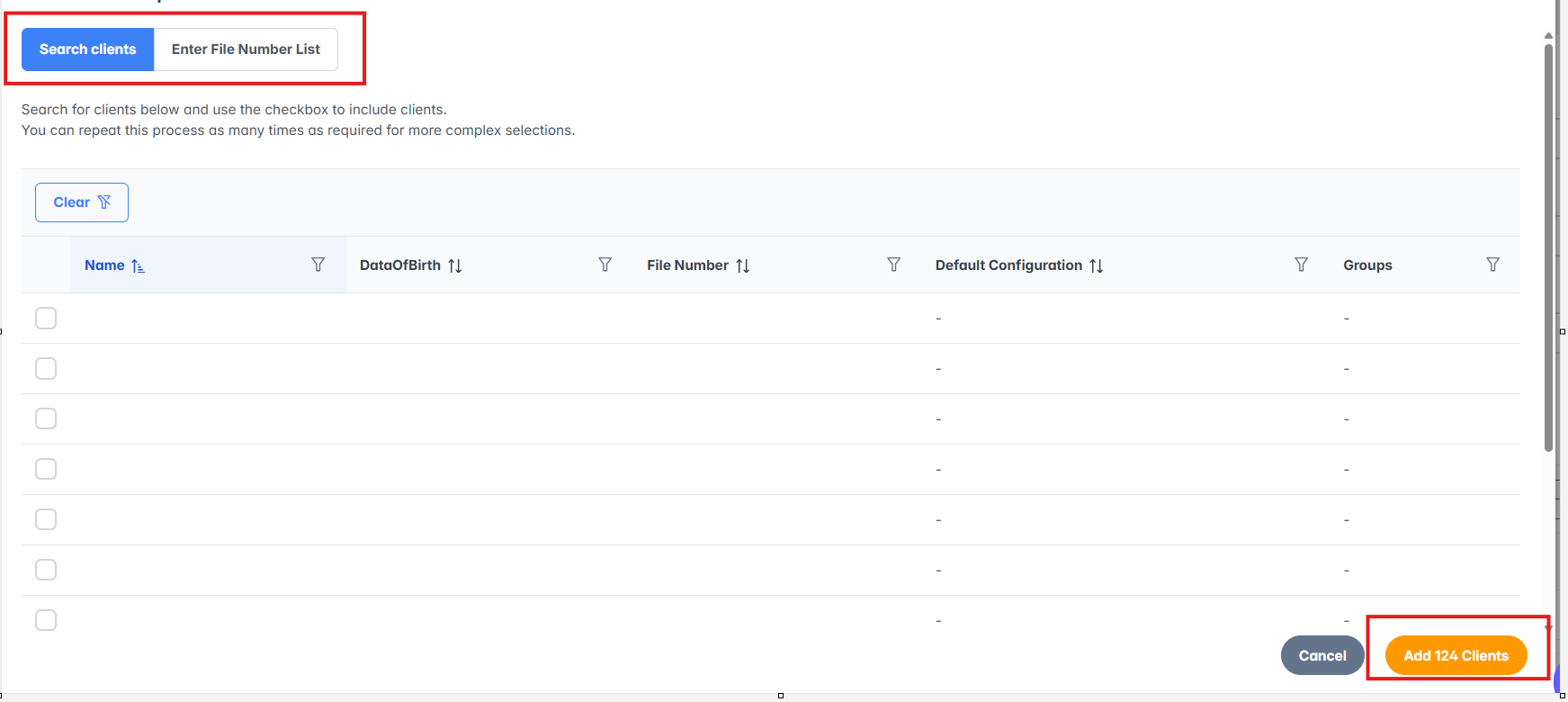
- Add the clients you want to include in the export by:
- Applying filters, or
- Pasting in a list of file numbers
Step 4: Generate and Download the Export
- Once the report is submitted the export will process in the background
- You will receive an email notification when the data is ready for download
- Return to the platform and click download