
Step 1: Click the gear on the top right hand corner and navigate to the "Groups" tab.


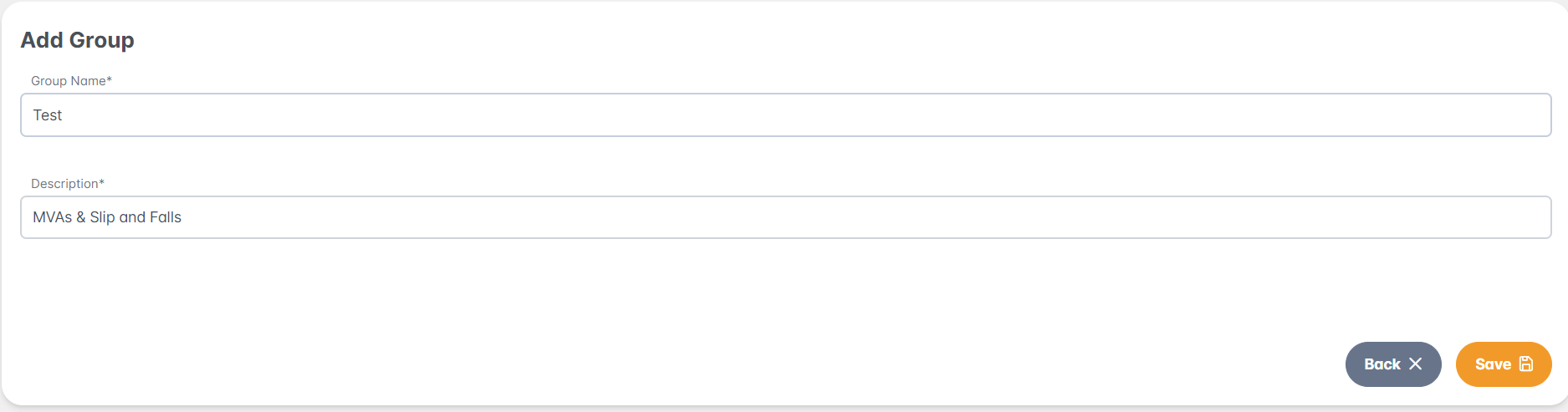
Step 2: Select "Add Group +" and select Save.
- Add a Group Name and Description
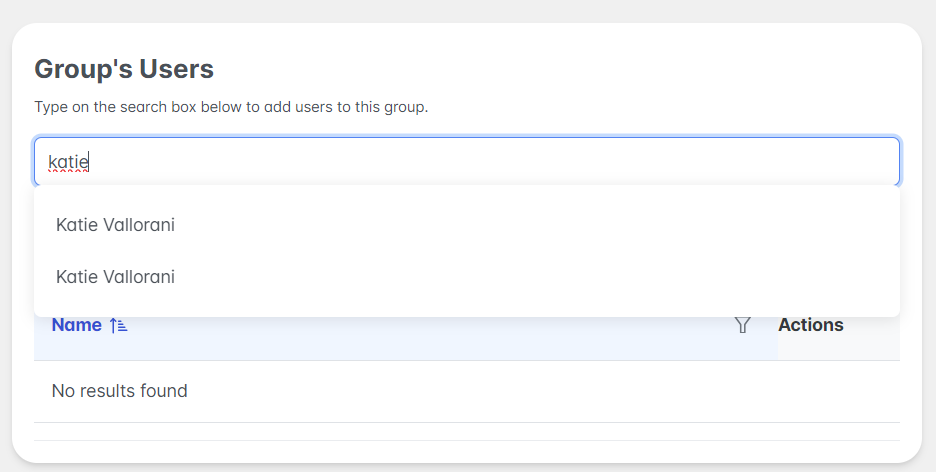
Step 3: Under the Group Users, you may type an account users name and select from the drop down menu.
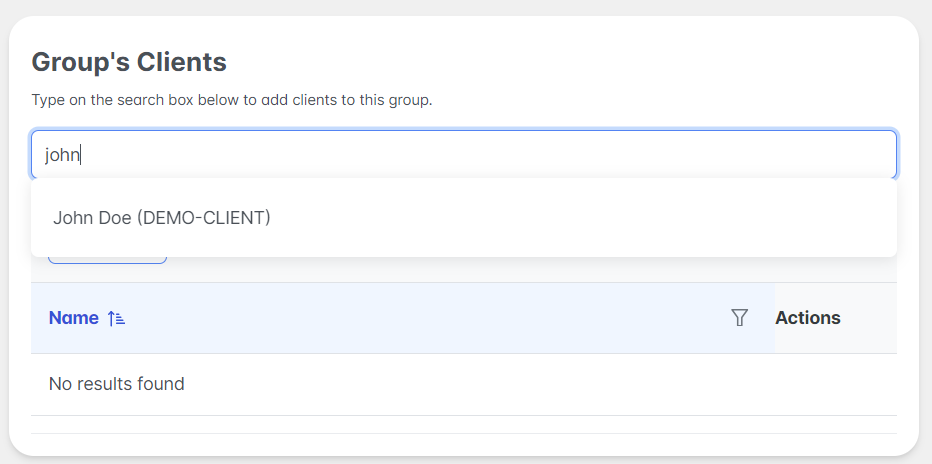
Step 4: Under the Group's Clients, you may type specific client names which belong to the group and select in the drop down
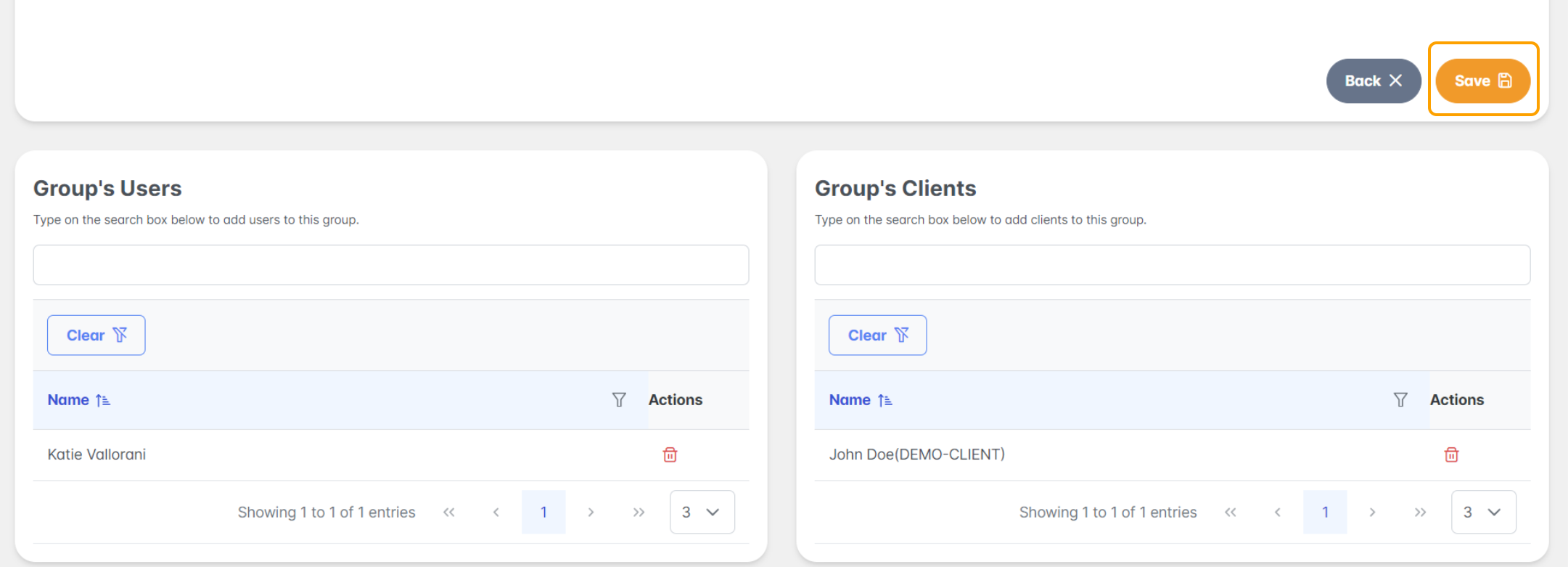
When the user and clients are selected, press Save.
If you have questions or feedback, please feel free to reach out to us at support@settlit.legal.com