
All users are able to update their notification settings.
Step 1: Access Your Organizations Settings
- Click the gear on the top right hand corner
Step 2: Select Notifications
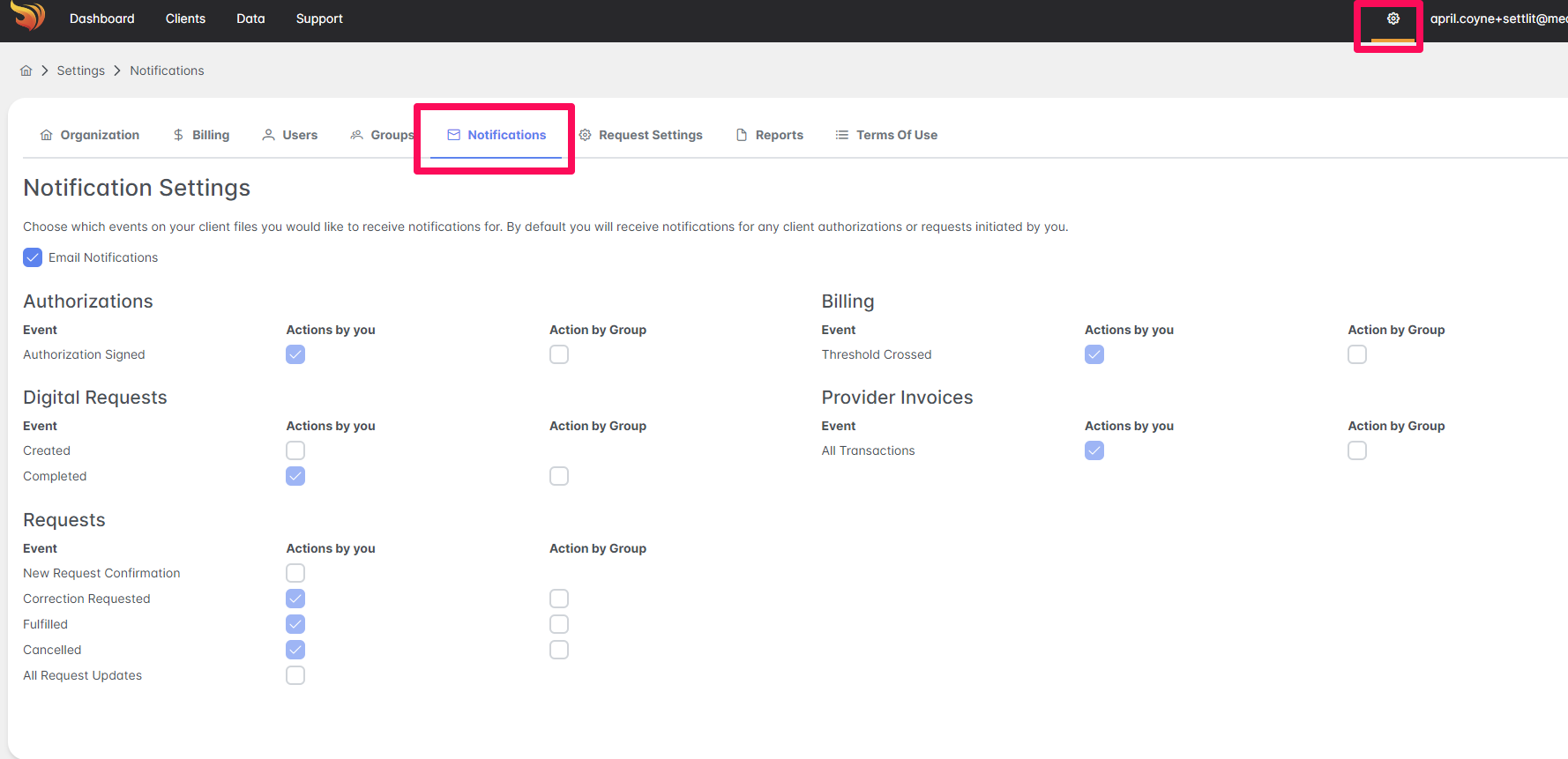
- Update to actions by you, action by group or leave blank if you do not want a notification at all
Your notifications have now been updated.
If you have questions or feedback, please feel free to reach out to us at support@settlit.legal.